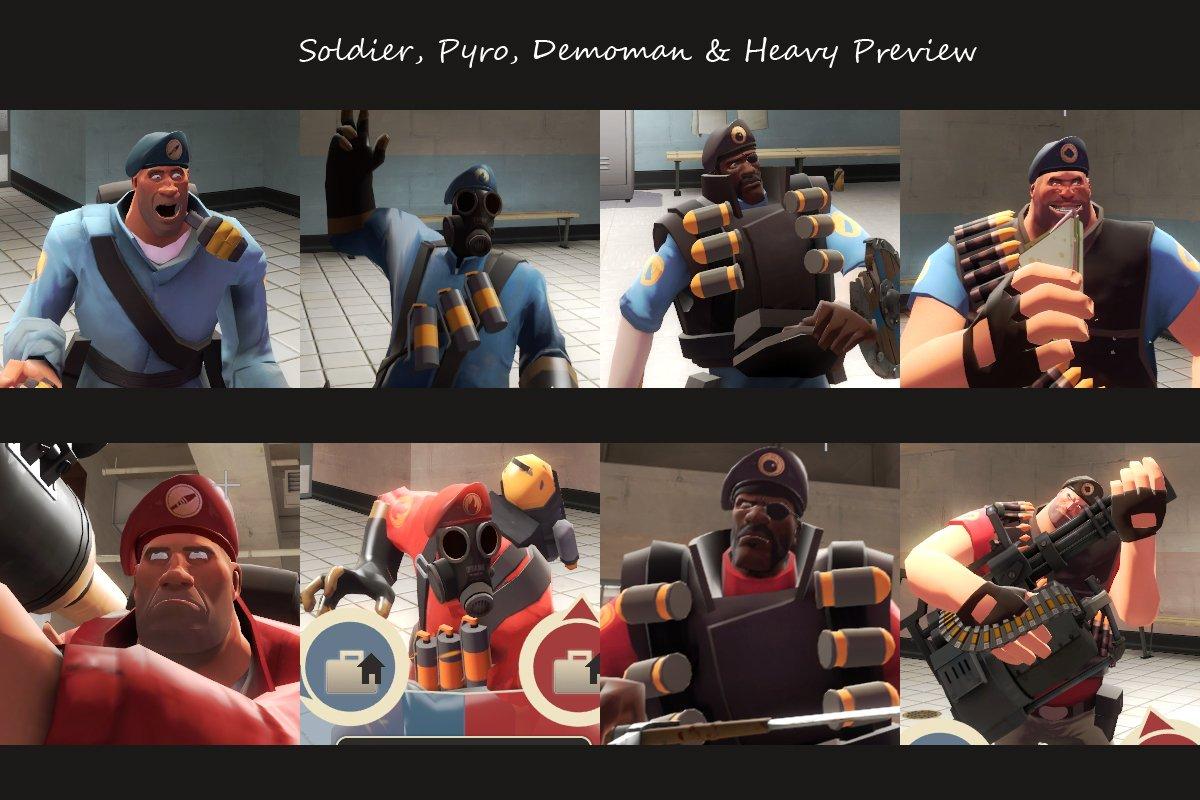
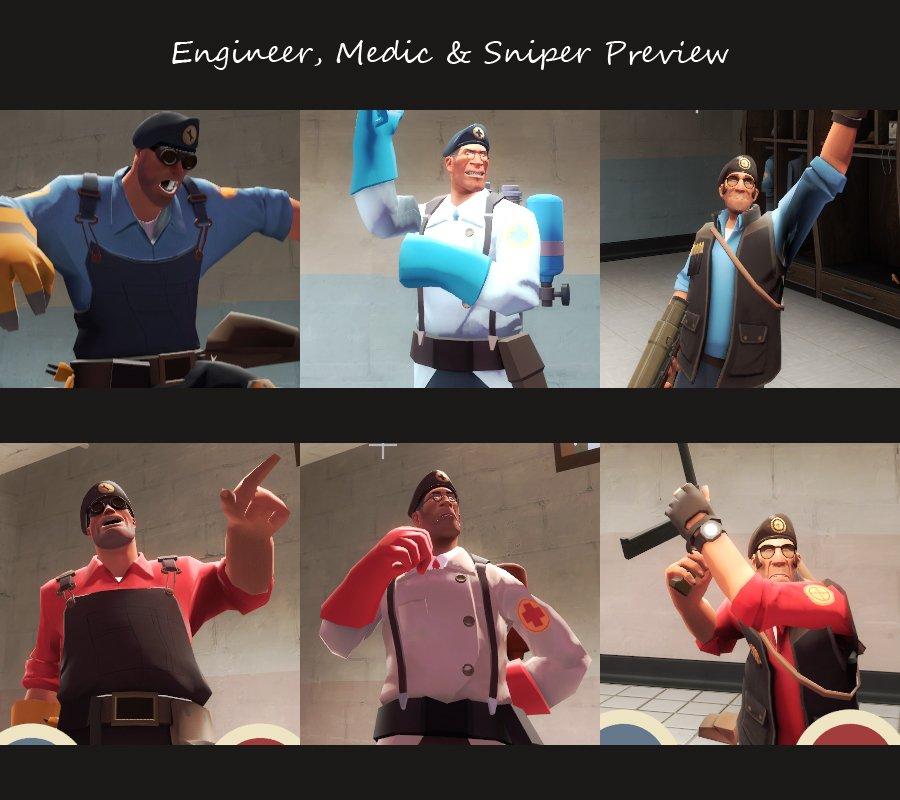
Добавил: The DSystem 2016-01-23 20:16:06 84 просмотра First of all, I would like to thank and credit Brainz for recompiling the original hats and releasing the Class Based Bill's Berets pack (http://www.fpsbanana.com/skins/79125). So kudos to him!
I recoloured his hats to make them fit with their classes a lot more. At first glance you might not notice a difference on some hats, but there definitely is. Every Beret's got a new shade of colour matching that of a piece of clothing from their class. Heavy's Pants, Engineer's Overalls etc.
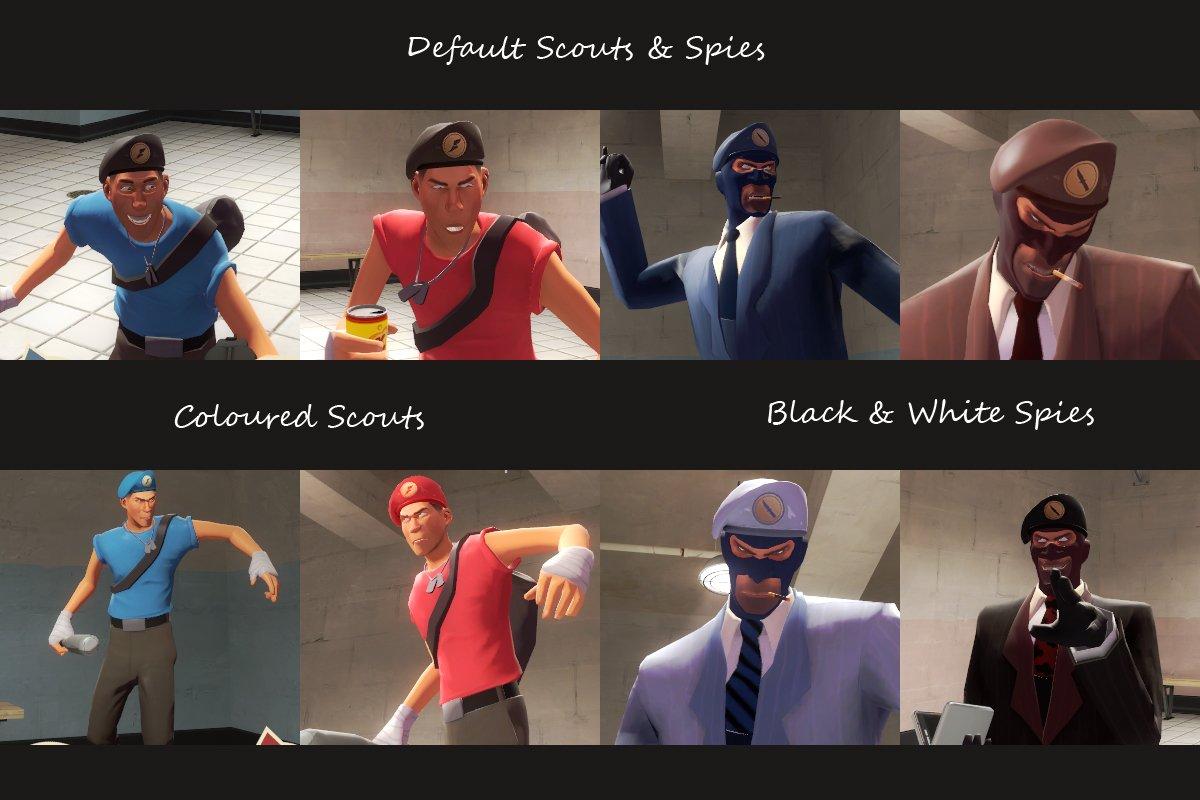
NOTE: There's two Scout versions, and two Spy versions.
Scout: Originally I only had the blue and red Berets, but people thought a grey shade would work a lot better. If you share the same opinion, extract those, unless you prefer the coloured ones.
Spy: Last week I submitted a Black & White Spy skin. (http://www.fpsbanana.com/skins/81631) If you're using it, I highly recommend you install the Black & White Berets. The default ones match the original Spy skins.
Installation Notes:
First, extract both /materials/ and /models/ from the "All Other Classes" folder to /tf/.
Now, if you have Jojo's Black and White Spies skins installed, extract /materials/ and /models/ from "Spy - Black and White", if not, extract it from "spy - Default".
Lastly, if you prefer the bright coloured versions of the Scout's Beret, extract the folders from "Scout - Coloured", if not, extract it from "Scout - Default".
P.S: Don't like a certain hat or two from the set, or already have them replaced with something else? Simply don't extract them (HARD MODE FOR SOME PEOPLE).
Тэги: |  Добавить новость